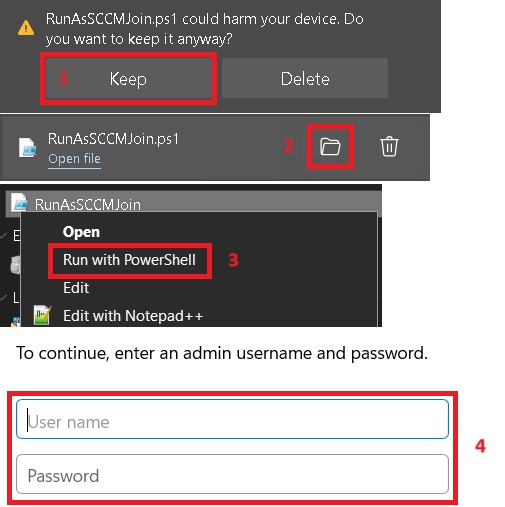
Welcome to the GMR portal for installing the System Center Configuration Manager (SCCM) client over an Internet connection.
After downloading the Configuration Manager deployment script to your local PC using the download button below (select "Save" and "Keep" when prompted in your web browser), please launch the deployment script by right-click "Run As Administrator" on the file RunAsSCCMJoin2.cmd from your Downloads folder to check if this device is already under management with Configuration Manager, and automatically install the Configuration Manager client as needed.